An offline motorcycle map for where the signal stops.
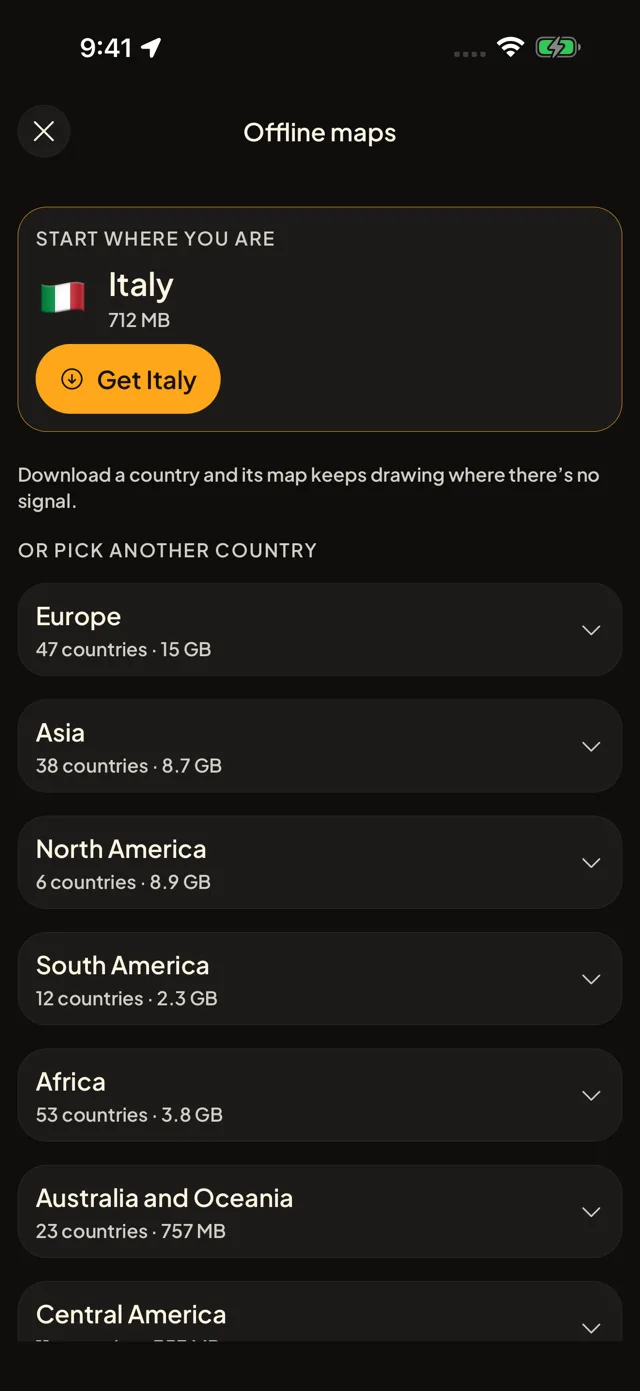
Download a country and its map keeps drawing on the pass, in the valley, anywhere you have no signal. The places stay on your phone too.


The map keeps drawing
Download a country once, on Wi-Fi if you can. Its map then draws with no connection at all.
The places come with it
The nests are stored on your phone, so you can still find a stay, a garage or a viewpoint and open its page with no signal. Photos wait for the next signal.
Your first country is free
The first country is free. Once three places you added are approved, every other country opens too.
Questions riders ask
How do I use a motorcycle map offline?
In the app, open Offline maps, pick a country and tap Download, on Wi-Fi if you can. It shows the size before it starts, and the first map also brings the world overview and the map fonts.
Is the offline map free?
Your first country is free, offered when you plan your first trip. The other countries open once three places you added are approved. Maps already on your phone are never taken away.
What works with no signal?
The map of every country you downloaded, the nests stored on your phone, the Radar and the page of each place. Photos and new suggestions wait for a signal.
How much space does a country take?
The app shows the size before you download, so you decide. Remove a country at any time and its map leaves your phone; the nests stay.
Free to download, free to use. No ads.
More of what the app does